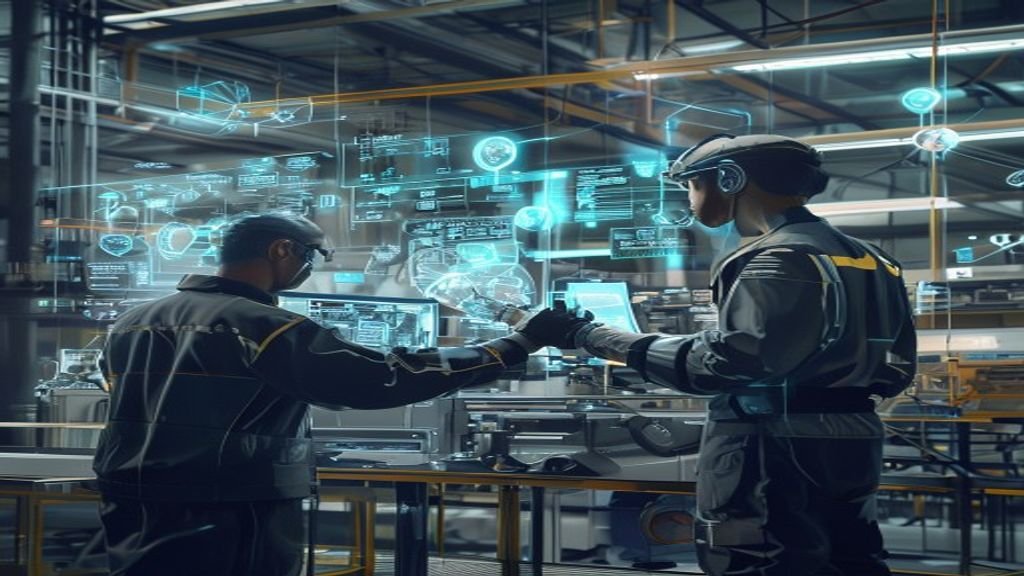
Spatial computing is moving from hype to infrastructure. Instead of interacting with screens, users interact with the spaces around them—blending digital content with physical environments using sensors, cameras, depth mapping, and intelligent software. The result is a new layer of computing that understands where things are, how they relate, and what actions are possible.
In this guide, we’ll explore real-world use cases of spatial computing across industries—showing practical applications, measurable benefits, and what to watch as these technologies mature. Whether you’re a product leader, developer, or curious professional, you’ll find concrete examples of where spatial computing delivers value today and where it’s headed next.
What Spatial Computing Changes (In Plain English)
Traditional computing often treats the physical world as a background for a screen. Spatial computing treats the physical world as a first-class input. Systems can perceive surfaces, objects, people, and scale; then they can anchor digital content to real locations so interactions feel natural.
Key capabilities that enable real-world use cases include:
- Spatial mapping: Understanding room geometry, surfaces, and spatial constraints.
- Anchoring: Keeping virtual objects stable relative to physical space.
- Hand, gesture, and voice input: Enabling touchless interaction.
- Environmental awareness: Recognizing contexts like vehicles, shelves, operating rooms, or construction sites.
- Multi-user experiences: Allowing shared digital layers for collaboration.
Use Case 1: Retail and Commerce That Feels Physical
Retail is one of the fastest-moving adoption areas because it’s easy to connect spatial experiences to customer outcomes: engagement, conversion, and reduced returns.
Virtual Try-Ons and Product Visualization
Shoppers can preview products in context—like seeing how a chair fits in a living room or how eyewear looks on their face. Spatial computing can improve confidence by showing scale, perspective, and lighting more realistically than flat screens.
Real-world impact: Better product understanding, fewer purchase hesitations, and potentially lower return rates.
Interactive In-Store Navigation
Large stores can be difficult to navigate. With spatial overlays, customers can receive “arrows” or highlighted paths that align with store aisles and displays. Employees can also use spatial tools to locate items quickly and guide customers more efficiently.
Personalized Merchandising
Digital signage that reacts to what a user is looking at or where they’re standing can increase relevance. Imagine walking past a shelf and seeing offers or accessories projected onto the exact surfaces where they apply.
Use Case 2: Healthcare Training, Therapy, and Clinical Operations
Healthcare is uniquely suited to spatial computing because it benefits from depth perception, procedural guidance, and simulation in high-stakes environments.
Medical Education and Surgical Simulation
Spatial computing can create 3D anatomical models anchored to real-world reference points. Trainees can practice procedures step-by-step with interactive cues.
Real-world impact: Faster skill acquisition, consistent training, and reduced dependence on limited physical resources.
Pre-Op Planning and Visualization
Surgeons can review imaging data (like CT or MRI-derived models) in a spatial context, helping them plan incisions or understand patient-specific anatomy. This can also support multidisciplinary planning with radiologists, surgeons, and care teams.
Rehabilitation and Patient Guidance
For physical therapy, spatial overlays can track movement and provide real-time feedback—like helping patients complete correct range-of-motion exercises. The system can adapt guidance based on progress and posture.
Use Case 3: Manufacturing and Industrial Maintenance
Factories are complex, and downtime is expensive. Spatial computing can reduce errors and speed up training and maintenance by turning technical documentation into “instructions” placed directly in the operational space.
Guided Maintenance and “See-What-I-See” Workflows
Maintenance teams often follow manuals, diagrams, or past notes. With spatial computing, a technician can view step-by-step guidance anchored to the specific machine components—reducing guesswork and improving safety.
Real-world impact: Fewer mistakes, faster repairs, and better knowledge transfer between experienced and new staff.
Digital Twins on the Shop Floor
A digital twin represents a physical system digitally. Spatial computing enables teams to visualize how changes, configurations, or predicted behaviors might look in the real environment—improving planning for upgrades and minimizing disruptive trial-and-error.
Quality Inspection Support
Spatial overlays can help inspectors compare “expected” vs. “actual” layouts or measurements. When combined with computer vision, systems can highlight anomalies and document them consistently.
Use Case 4: Construction, Architecture, and Engineering
Construction and design teams already work with models—BIM (Building Information Modeling), CAD, and site plans. Spatial computing helps them experience those models in place, reducing miscommunication between stakeholders.
On-Site Visualization and Layout Validation
Teams can place digital building elements into the physical environment to verify alignments, clearances, and spatial relationships. This reduces expensive changes during construction.
Collaboration Across Stakeholders
Architects, engineers, contractors, and clients can review changes together using shared spatial experiences. Instead of interpreting 2D drawings, stakeholders see what’s proposed and can ask precise questions.
Safety Training and Hazard Awareness
Spatial training can simulate scenarios like working at heights, operating machinery, or navigating hazardous zones. On-site, spatial guidance can also warn workers about restricted areas.
Use Case 5: Smart Cities and Public Infrastructure
Smart cities rely on real-time data and coordinated systems. Spatial computing can provide a common spatial interface for viewing plans, monitoring infrastructure, and responding to emergencies.
Urban Planning and Scenario Simulation
Planners can explore how new transit lines, buildings, or zoning changes affect neighborhoods—considering sightlines, traffic flow cues, and pedestrian movement.
Infrastructure Inspection and Maintenance Coordination
Utilities can use spatial computing to annotate assets like bridges, pipes, or power lines with digital records. Field teams get context-aware guidance based on the actual location and condition of components.
Emergency Response and Command Visualization
During emergencies, responders need immediate clarity. Spatial overlays can show building layouts, evacuation routes, utility shutoffs, or risk zones, helping coordinate actions across teams.
Use Case 6: Education and Workforce Training
Learning is more effective when it’s interactive and contextual. Spatial computing can turn lessons into experiences—especially for subjects involving scale, motion, or spatial reasoning.
Immersive STEM Learning
Students can explore physics simulations, molecular structures, or historical artifacts anchored to real classroom spaces. Unlike a static poster, a spatial model can be walked around, manipulated, and observed from multiple angles.
Vocational Training for Real Tools and Procedures
Training electricians, welders, technicians, and other trades can benefit from step-by-step spatial instructions. Learners practice safe, repeatable scenarios before working in real environments.
Language Learning and Cultural Experiences
Spatial computing can support immersive environments for cultural learning—like walking through a recreated landmark or interacting with location-based prompts.
Use Case 7: Entertainment, Sports, and Live Events
Spatial computing is also a major consumer-facing force. The key difference is that entertainment becomes a shared physical experience rather than isolated screen time.
Immersive Gaming and “Place-Based” Worlds
Games can anchor characters, puzzles, or interactive effects to your living room or outdoor area. This makes each play session unique and location-aware.
Sports Analytics and Fan Engagement
Fans can view spatial replays that align with real stadium layouts. Coaches or analysts can use spatial overlays to interpret movement patterns and tactical decisions.
Concerts and Themed Experiences
Spatial visuals can respond to crowd motion or stage dynamics, creating effects that feel physically present—enhancing immersion without requiring users to look at a separate screen.
Use Case 8: Logistics, Warehousing, and Field Services
Every step in logistics involves location and orientation—exactly what spatial computing can help with.
Warehouse Picking Assistance
Workers can receive pick instructions tied to physical locations, reducing scanning errors and route inefficiencies. Systems can also provide “next best action” guidance based on inventory status.
AR-Enabled Proof of Delivery
For field services, spatial computing can capture proof-of-delivery and service documentation tied to where work occurred, streamlining audits and reducing disputes.
Inventory Audits and Asset Tracking
Spatial tools can help teams identify assets faster and verify counts with location-aware overlays. Combined with cameras or depth sensors, it can improve speed and accuracy.
Use Case 9: Real Estate and Home Design
Real estate is inherently spatial—buyers need to understand layouts, scale, and flow. Spatial computing can reduce friction in buying and remodeling decisions.
Guided Property Walkthroughs
Prospective buyers can explore properties with interactive overlays such as highlighted features, room measurements, and layout variations.
Renovation Planning and Furniture Placement
Homeowners can visualize remodel options and place furniture in correct scale. Instead of guessing based on a photo, they can see how proposals fit into their actual space.
Use Case 10: Banking, Retail Banking, and High-Trust Environments
Some industries require careful guidance and process clarity. Spatial computing can streamline complex workflows without relying on paper instructions or unclear signage.
Branch Experiences and Guided Setup
Customers might follow interactive guidance for onboarding or account setup, particularly in digital kiosks that blend real-world prompts with spatial UI.
High-precision Visual Support for Consultations
For complex financial planning scenarios, spatial interfaces can help illustrate relationships and structures—while still keeping the experience grounded in user context.
What Makes Spatial Computing Work in the Real World?
It’s not enough to create impressive demos. Real-world success depends on practical design choices. Here are the most important factors behind successful spatial computing deployments.
1) Reliable Spatial Anchoring
When virtual content drifts, users lose trust. Robust tracking and anchoring are essential—especially for industrial, healthcare, and training applications.
2) Safety and Usability by Design
Hands-free or low-friction interactions must still account for ergonomics and safety. Systems should minimize distraction and provide fail-safes in high-risk workflows.
3) Context-Aware Content
Spatial computing isn’t just “3D on top of reality.” Effective systems adapt content to what’s in view, where the user stands, and what tasks they’re trying to complete.
4) Multi-User Collaboration
Many of the best use cases—construction coordination, maintenance, emergency response—are collaborative. Shared spatial context enables faster decision-making.
5) Integration With Existing Data and Tools
Spatial experiences must connect to real data sources: maintenance logs, BIM models, inventory systems, or patient information systems. Without integration, value will be limited.
Implementation Roadmap: From Pilot to Production
If you’re planning spatial computing initiatives, consider a phased approach.
Start With a Narrow, Measurable Workflow
- Choose a process with clear metrics (time-to-complete, error rate, training hours, conversion uplift).
- Identify pain points where visual context matters.
Build a Minimal Viable Spatial Experience
- Focus on anchoring and interaction reliability.
- Use straightforward UX—clear instructions, minimal cognitive load.
Validate in Real Environments
- Test under varying lighting and spatial conditions.
- Include real users from the start and iterate quickly.
Scale Through Templates and Reusable Components
- Create a library of UI elements and anchor behaviors.
- Standardize data ingestion for 3D models and spatial events.
Challenges to Plan For
Spatial computing is powerful, but it comes with real constraints. Being aware early helps teams avoid costly rework.
Privacy and Data Handling
Spatial systems can capture detailed information about environments and users. Successful deployments include privacy-by-design policies, data minimization, and clear user consent mechanisms.
Hardware and Performance Variability
Device capabilities differ. Organizations should plan for testing across hardware configurations and optimize content for performance and battery life.
Content Authoring at Scale
Creating and maintaining high-quality spatial content can be labor-intensive. Tooling that automates model conversion, asset optimization, and version control becomes a competitive advantage.
User Adoption and Training
Even the best technology can fail if users don’t understand it. Provide onboarding, role-based guidance, and fallback workflows.
The Future: Where Spatial Computing Use Cases Are Headed Next
As spatial sensors improve and AI becomes better at interpreting environments, spatial computing use cases will expand beyond visualization into real-time decision support. Expect growth in:
- Autonomous guidance: Systems that proactively suggest actions based on context.
- More realistic digital twins: Faster updates and richer simulations.
- Broader enterprise adoption: Standardized platforms for spatial workflows.
- Human-centered interaction: More natural input methods and adaptive UX.
Most importantly, spatial computing will become less like a novelty and more like a practical interface—helping people do their jobs faster, safer, and with fewer errors.
Conclusion: Spatial Computing Is Becoming a Practical Layer of Reality
The real-world use cases of spatial computing are already diverse: retail experiences that help customers choose with confidence, healthcare tools that improve training and planning, manufacturing guidance that reduces downtime, and smart city tools that support coordinated response.
As organizations gain experience—especially with anchoring reliability, privacy, and workflow integration—spatial computing will shift from experimental pilots to everyday infrastructure. The opportunities are large, but the winners will focus on measurable value, user trust, and reliable deployments.
If you’re evaluating spatial computing, start with one workflow, prove outcomes, and build toward scalable content and collaboration. That’s the path from demonstration to long-term impact.