Contents
BrowserAI: Run LLMs in the Browser – Simple, Fast, and Open Source!
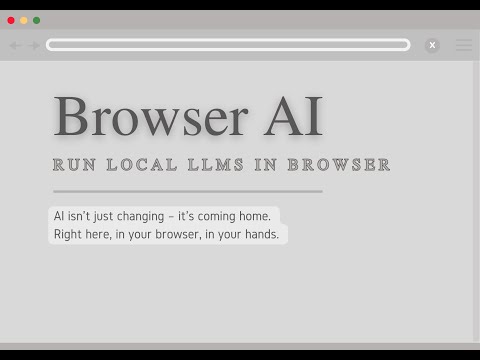
- 🔒 Privacy First: All processing happens locally – your data never leaves the browser
- 💰 Cost Effective: No server costs or complex infrastructure needed
- 🌐 Offline Capable: Models work offline after initial download
- 🚀 Blazing Fast: WebGPU acceleration for near-native performance
- 🎯 Developer Friendly: Simple API, multiple engine support, ready-to-use models
- Web developers building AI-powered applications
- Companies needing privacy-conscious AI solutions
- Researchers experimenting with browser-based AI
- Hobbyists exploring AI without infrastructure overhead
- 🎯 Run AI models directly in the browser – no server required!
- ⚡ WebGPU acceleration for blazing fast inference
- 🔄 Seamless switching between MLC and Transformers engines
- 📦 Pre-configured popular models ready to use
- 🛠️ Easy-to-use API for text generation and more
| Demo | Description | URL | Status |
|---|---|---|---|
| Chat Demo | Simple chat interface with multiple model options | Try Chat Demo | ✅ |
| Voice Chat Demo | Full-featured demo with speech recognition and text-to-speech | Try Voice Demo | ❌ |
bash
npm install @browserai/browserai
OR
bash
yarn add @browserai/browserai
import { BrowserAI } from '@browserai/browserai';

const browserAI = new BrowserAI();

browserAI.loadModel('llama-3.2-1b-instruct');

const response = await browserAI.generateText('Hello, how are you?');
console.log(response);
const ai = new BrowserAI();
await ai.loadModel('llama-3.2-1b-instruct', {
  quantization: 'q4f16_1' // Optimize for size/speed
});

const response = await ai.generateText('Write a short poem about coding', {
  temperature: 0.8,
  maxTokens: 100
});
const ai = new BrowserAI();
await ai.loadModel('gemma-2b-it');

const response = await ai.generateText([
  { role: 'system', content: 'You are a helpful assistant.' },
  { role: 'user', content: 'What is WebGPU?' }
]);
const ai = new BrowserAI();
await ai.loadModel('whisper-tiny-en');

// Using the built-in recorder
await ai.startRecording();
const audioBlob = await ai.stopRecording();
const transcription = await ai.transcribeAudio(audioBlob);
const ai = new BrowserAI();
await ai.loadModel('speecht5-tts');
const audioBuffer = await ai.textToSpeech('Hello, how are you today?');
// Play the audio using Web Audio API
const audioContext = new AudioContext();
const source = audioContext.createBufferSource();
audioContext.decodeAudioData(audioBuffer, (buffer) => {
  source.buffer = buffer;
  source.connect(audioContext.destination);
  source.start(0);
});
More models will be added soon. Request a model by creating an issue.
- Llama-3.2-1b-Instruct
- SmolLM2-135M-Instruct
- SmolLM2-360M-Instruct
- SmolLM2-1.7B-Instruct
- Qwen-0.5B-Instruct
- Gemma-2B-IT
- TinyLlama-1.1B-Chat-v0.4
- Phi-3.5-mini-instruct
- Qwen2.5-1.5B-Instruct
- Llama-3.2-1b-Instruct
- Whisper-tiny-en (Speech Recognition)
- SpeechT5-TTS (Text-to-Speech)
- 🎯 Simplified model initialization
- 📊 Basic monitoring and metrics
- 🔍 Simple RAG implementation
- 🛠️ Developer tools integration
- 📚 Enhanced RAG capabilities
- Hybrid search
- Auto-chunking
- Source tracking
- 📊 Advanced observability
- Performance dashboards
- Memory profiling
- Error tracking
- 🔐 Security features
- 📈 Advanced analytics
- 🤝 Multi-model orchestration
We welcome contributions! Feel free to:
- Fork the repository
- Create your feature branch (
git checkout -b feature/amazing-feature) - Commit your changes (
git commit -m 'Add amazing feature') - Push to the branch (
git push origin feature/amazing-feature) - Open a Pull Request
This project is licensed under the MIT License – see the LICENSE file for details.
- MLC AI for their incredible mode compilation library and support for webgpu runtime and xgrammar
- Hugging Face and Xenova for their Transformers.js library, licensed under Apache License 2.0. The original code has been modified to work in a browser environment and converted to TypeScript.
- All our contributors and supporters!
Made with ❤️ for the AI community
- Modern browser with WebGPU support (Chrome 113+, Edge 113+, or equivalent)
- For models with
shader-f16requirement, hardware must support 16-bit floating point operations