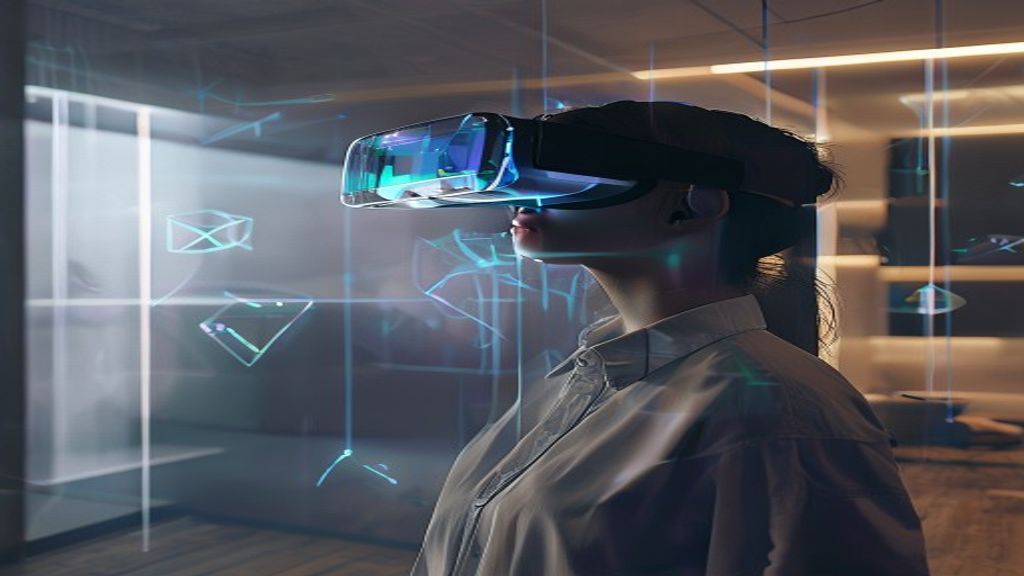
Spatial computing is moving from futuristic concept to everyday reality. Instead of interacting with apps only through screens and keyboards, spatial computing lets you perceive and work in a world that blends digital content with your physical environment—often using headsets, hand tracking, cameras, sensors, and mapping techniques.
If you’re wondering how to start with spatial computing, this guide is designed to get you from curiosity to first experiments, with clear steps, beginner-friendly project ideas, and a roadmap you can follow whether you’re a developer, a designer, or a business leader.
What Is Spatial Computing (In Plain English)?
Spatial computing uses technology to understand space and enable interaction between digital information and the physical world. The key ingredient is context: devices detect surfaces, track movement, estimate depth, and anchor virtual objects to real locations.
Common examples include:
- AR overlays that place objects in your room
- VR experiences where you move naturally inside a virtual space
- Mixed reality experiences that combine virtual and real content with spatial awareness
- Gesture and hand interaction for intuitive controls
In short: spatial computing is about computing with location, depth, and orientation, not just input clicks and taps.
Why Spatial Computing Matters Now
Spatial computing is accelerating because multiple capabilities matured at once:
- Better sensors (depth cameras, IMUs, environmental mapping)
- Improved tracking for stable experiences
- Faster devices that can render immersive content
- Developer ecosystems with SDKs and tools for prototyping
For beginners, the timing is great: you can learn quickly by building small, focused projects rather than waiting for a “perfect” platform.
Choose Your Starting Path: Developer, Designer, or Explorer
“How to start” depends on your role. Pick the track that matches your goals, then follow the relevant steps.
1) If you want to build applications (Developer track)
You’ll focus on SDKs, 3D fundamentals, interaction design, performance, and testing in real spaces.
2) If you’re a designer or product thinker (Designer track)
You’ll focus on user experience, spatial UI patterns, comfort considerations, and prototyping concepts that can be implemented by developers.
3) If you want to learn by experimenting (Explorer track)
You’ll focus on hands-on demos: mapping, anchoring objects, basic gestures, and understanding how devices perceive your environment.
No matter which path you choose, the fundamentals stay similar: spatial understanding, interaction, and iteration.
Understand the Core Concepts You’ll Keep Seeing
Before you build, familiarize yourself with the vocabulary. You don’t need to master everything on day one—but understanding the concepts will prevent confusion later.
Spatial Mapping and Environmental Understanding
Spatial mapping is how a device detects surfaces (planes), walls, floors, and other geometry. Environmental understanding helps determine where virtual objects can be placed and how they behave.
Tracking and Anchoring
Tracking is how the device knows where you are and how you’re moving. Anchors keep virtual content stable relative to the real world.
Coordinate Systems
Most spatial platforms use coordinate systems to relate real-world positions to virtual objects. Expect terms like world space, local space, and device space.
Depth, Occlusion, and Lighting
- Depth helps estimate distance and supports realistic positioning.
- Occlusion means real objects can block virtual ones for realism.
- Lighting and rendering determine whether virtual objects look believable.
Input Modalities
Spatial computing uses more than a controller. Common inputs include:
- Hand tracking
- Gaze (where the user looks)
- Voice
- Gestures like pointing or pinching
Step-by-Step: How to Start with Spatial Computing
Here’s a practical roadmap that works for most beginners.
Step 1: Pick a Platform and Set Up Your Learning Environment
Start with one ecosystem so you’re not juggling multiple tools. Look for:
- Beginner tutorials and sample projects
- Clear documentation for tracking and rendering
- Support for the input methods you want (hands, controllers, etc.)
- Community resources (forums, sample code, templates)
As you set up, focus on getting to a working demo first. That means you spend less time on configuration and more time building.
Step 2: Learn 3D Basics (Without Getting Stuck)
Spatial computing is built on 3D. You don’t need a PhD—just the essentials:
- Transforms: position, rotation, scale
- Vectors and directions
- 3D models (importing, textures, materials)
- Coordinate space concepts
If you already know how to use a 3D engine, you’ll move faster. If not, use a short, targeted learning plan: only what you need for your first project.
Step 3: Build a “Hello Spatial” Prototype
Don’t aim for a full product. Build a small experience that proves you understand spatial fundamentals. Good beginner prototypes include:
- Tap/gesture to place an object on detected surfaces
- Drag to move a virtual object within a room
- Scale a 3D model with hand gestures
- Use anchors so objects stay in place while you move around
Your goal is to validate core mechanics: placement, stability, and interaction.
Step 4: Learn Spatial UI Patterns
Traditional UI (buttons on a flat screen) doesn’t always work in spatial environments. Spatial UI usually requires:
- Comfortable distances so text is readable
- Stable placement to avoid disorientation
- Clear interaction cues (highlight on hover, animation on selection)
- Thoughtful hierarchy to avoid overwhelming the user
Start with simple UI: a floating panel that appears when you perform a gesture, or a minimal HUD that shows status.
Step 5: Add Interaction That Feels Natural
Spatial computing is primarily about interaction. Improve your prototype by adding one or two of the following:
- Gaze-based focus (if supported)
- Hand raycasting for pointing
- Pinch to select or pinch-and-drag
- Physics-lite interactions like throwing or stacking objects
Keep interactions predictable. Beginners often make UIs too sensitive, too complex, or too fast. Start slow and refine.
Step 6: Test in Real Spaces (Not Just in Virtual)
Spatial computing experiences can behave differently depending on lighting, surface types, and room scale. Test your app in multiple environments:
- Different lighting conditions (bright vs. dim)
- Different surface textures (wood, tile, carpet)
- Different room sizes
- People moving around (for occlusion and stability)
Document what breaks and why. This turns your learning into reusable knowledge.
Step 7: Optimize for Performance and Comfort
Even early prototypes should consider:
- Frame rate (avoid heavy scenes)
- Latency (reduce expensive computations)
- Field of view usage (don’t force constant turning)
- Comfort design (avoid disorienting motion)
Performance issues can be more noticeable in immersive contexts. Treat optimization as part of your learning, not an afterthought.
Beginner Project Ideas (That Teach You the Right Skills)
Want to know what to build after your first prototype? Here are projects that progressively teach spatial concepts.
Project 1: AR Measurement Helper
Let users measure distances or approximate object sizes using the device camera and depth. You’ll learn:
- Depth and spatial calibration
- Anchor placement
- Rendering readable labels
Project 2: Virtual Sticky Notes on a Wall
Use plane detection to place notes on a wall. Features can include resizing and changing colors. You’ll learn:
- Spatial mapping
- Hit-testing and placement logic
- Spatial UI
Project 3: Gesture-Based Object Launcher
Pick up an object and throw it (or flick it) onto a surface. You’ll learn:
- Gesture recognition
- Physics and collision behavior
- Performance constraints
Project 4: Spatial Checklist for Training
Turn steps into spatial instructions anchored to real locations. You’ll learn:
- Information design
- Interaction flow and state management
- Designing for usability in motion
Project 5: Mixed-Reality Mini Museum
Create an interactive scene where a few artifacts appear at fixed positions. You’ll learn:
- Persisting anchors
- Occlusion and realism
- Event triggers based on proximity
Common Mistakes Beginners Make (And How to Avoid Them)
- Trying to build too much too soon: Start with one core interaction.
- Ignoring testing conditions: Test in varied lighting and spaces early.
- Overcomplicating UI: Keep UI minimal and readable.
- Not accounting for comfort: Avoid sudden camera motion and confusing controls.
- Forgetting performance: Optimize assets and avoid unnecessary rendering.
What Skills You’ll Build Along the Way
Learning spatial computing builds a powerful skill set that transfers to many fields:
- 3D and interaction design
- User-centered spatial UX
- Computer vision concepts (at least at a practical level)
- Real-time performance engineering
- Prototyping and iterative product thinking
Suggested Learning Path (30 Days to Get Momentum)
Here’s a simple plan that helps you build confidence quickly. Adjust based on your available time.
Week 1: Fundamentals + First Demo
- Set up your platform and run sample projects
- Learn core 3D transforms and scene basics
- Build a placement prototype
Week 2: Interaction + Spatial UI
- Add gesture or gaze interaction
- Create a small UI panel and readable text
- Test in 2–3 different rooms
Week 3: Persistence + Anchoring
- Ensure objects stay stable in space
- Add one realistic enhancement (lighting, occlusion, physics)
- Improve performance and input stability
Week 4: One Polished Mini-App
- Choose one beginner project idea
- Add basic states (start, instructions, success/failure)
- Record a demo video and gather feedback
How to Validate Your Idea (So You’re Building for Real Users)
A strong spatial computing idea is not just cool—it’s useful and understandable. Validate with:
- Short user tests (10–20 minutes) with clear tasks
- Observe confusion points (where users hesitate)
- Check comfort (eye strain, fatigue, disorientation)
- Iterate quickly based on findings
Even if you’re building for fun, user testing accelerates learning and helps you create experiences people actually enjoy.
Where Spatial Computing Is Going (And How That Helps Beginners)
Spatial computing is evolving toward more natural interaction, better context awareness, and smoother persistence in the environment. For beginners, this trend is good because your early skills will remain relevant:
- Anchored experiences will improve, but the logic you learn now still applies.
- Spatial UI conventions will stabilize, but readability and comfort principles are universal.
- Interaction patterns will expand, but gesture selection and feedback principles stay consistent.
Focus on fundamentals and you’ll be ready as tools mature.
Conclusion: Your First Steps Are the Biggest Win
Learning how to start with spatial computing is less about finding the perfect setup and more about building momentum. Choose one platform, learn essential 3D basics, create a “Hello Spatial” prototype, then iterate with real-world testing. By the time you finish your first polished mini-app, you’ll have a foundation you can build on for years—whether you’re creating consumer experiences, enterprise training tools, or research prototypes.
Next step: Pick one beginner project idea from this article and spend your next session building the simplest version. Once it works, you’ll immediately know what to improve.